Convert RAW to JPG
Transform RAW images (CR2, NEF, ARW, DNG, etc.) to JPG format.
Convert multiple RAW to JPG online at once.
or drop RAW images here
All files are processed locally 100% in your browser and never uploaded to our servers.
0%
Compress Image to 75KB – Free & Online
Compress Image to 75KB tool allows you to compress images to an exact 75KB file size while maintaining higher visual clarity than lower KB limits. It is ideal for platforms that allow moderate image sizes but still enforce strict upload validation.
The tool works entirely online with no signup, no watermark, and no software installation.
Conversion Overview
This tool compresses image files to a fixed 75KB output size by precisely balancing image quality, resolution, and compression parameters. Unlike generic compressors that aim for approximate size reduction, this tool focuses on accurate size control.
Users commonly need 75KB images for government forms, resumes, profile photos, employee records, ID uploads, and CMS platforms with defined size caps.
What Is Image Compression?
Image compression is the process of reducing an image’s file size by optimizing how image data is encoded and stored, while keeping the image usable for its intended purpose.
Key technical characteristics of image compression include:
Removal of redundant pixel data
Controlled adjustment of image quality
Optimization of resolution and color depth
Use of lossy or lossless compression methods
Faster uploads and efficient storage usage
For exact targets like 75KB, controlled lossy compression is typically applied.
Why Compress Image to 75KB?
Accepted size limit on many official and professional platforms
Better visual clarity compared to 50KB or lower limits
Faster uploads on mobile and low-bandwidth connections
Reduced storage and bandwidth usage
Ensures compliance with strict file-size validation rules
This tool is designed specifically for exact-size image compression, not general resizing.
How to Compress Image to 75KB Online
Upload your image file (JPG, PNG, or WebP)
Select the 75KB compression target
The tool automatically compresses the image to size
Download the compressed 75KB image
No signup, no watermark, no manual adjustments.
Features of Compress Image to 75KB Tool
Exact 75KB file size compression
Supports JPG, PNG, and WebP formats
Secure browser-based processing with no file storage
Works on mobile, tablet, and desktop devices
No signup, no watermark, fast and easy
Original Image vs 75KB Compressed Image – Key Differences
| Aspect | Original Image | 75KB Compressed Image |
|---|---|---|
| File Size | Typically 150KB–5MB | Exactly 75KB |
| Upload Acceptance | Often rejected | Accepted on strict portals |
| Load Speed | Moderate | Fast |
| Storage Requirement | High | Minimal |
| Best Use Case | Design and high-quality display | Forms, profiles, uploads |
Frequently Asked Questions (FAQ)
How does the tool compress images to exactly 75KB?
The tool dynamically adjusts image quality and resolution until the compressed output reaches the 75KB target without exceeding it.
Will compressing an image to 75KB reduce quality?
Quality reduction is minimal at 75KB, and most images retain good clarity suitable for official and professional use.
Can I reduce image size to 75KB using this tool?
Yes. The tool compresses and reduces image size together to achieve an exact 75KB output efficiently.
Which image formats are supported for 75KB compression?
JPG, PNG, and WebP formats are supported, with adaptive compression applied based on the uploaded file type.
Are my images stored or shared?
No. Images are processed securely and are not stored, logged, or shared.
Does the tool work on mobile devices?
Yes. The tool is fully compatible with Android, iOS, tablets, and desktop browsers.
RAW to JPG Converter - Free Online RAW to JPG Tool
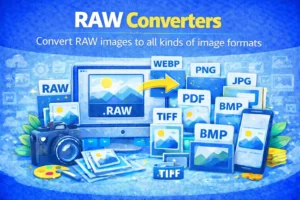
Convert RAW images to JPG online. Create universally supported JPG files from RAW images using our fast and secure RAW to JPG converter.
Price Currency: USD
Operating System: All
Application Category: MultimediaApplication